So, nachdem nun LabVewi 6.1 auf SL6 gut läuft, sollte auch 2012 auf meinem aktuellen “Arbeitstier” funktionieren. Mageia basiert auf Mandriva, und ist damit ebenfalls RPM-basiert.
Nach dem man die LabView 2012-Setup im Linux-Unterordner auf der in HFS+ formatierten Mac/Linux-DVD der Academic Site License extrahiert hat, lässt sich Labview selbst nach Auflösung einiger Abhändigkeiten problemlos installieren. Insbesondere
libXinerama kernel-desktop-devel-latest
und Abhängigkeiten müssen auch als 32-Bit Binary vorliegen, wenn LabView auf einem 64-Bit System gestartet wird.
Nach der installation von Labivew wird nach NI-VISA gefragt. Wer lediglich etwas Programmierung üben möchte, kann sich die VISA-Libs sparen. Für die Gerätesteuerung aber sind sie zwingend notwendig; die Installation schlägt auf den ersten Anlauf aber fehl:
******************************** ERROR ****************************************
* The version of gcc in the path does not match the version of gcc used to    *
* compile the currently running kernel.  This can cause unpredictable         *
* behavior in kernel drivers and should be fixed.                             *
* gcc version: gcc-Version 4.7.2 (GCC)                                        *
* kernel compiled with: 4.7.2                                                 *
******************************** ERROR ****************************************
Scheinbar unterscheiden sich die in openSUSE, RHEL und SL verwendet Art und Weise, die GCC-Version im Kernel zu hinterlegen derart von der in Mageia verwendeten, dass der Installer trotz vermeidlich gleicher Kernel-Version fehlschlägt.
Ganz unpraktisch ist das aber nicht, denn vor der Installation der NI-VISA-Treiber muss die (zumindest auf der 2012er) DVD mitgelieferte Version von NI-KAL auf Version 2.4 aktualisiert werden, um mit neueren Kernel-Versionen kompatibel zu sein (siehe Forums-Post der LabView community). Der Download auf ni.com ist ein ISO-Image, das zunächst entpackt werden will.
[user@localhost NIKAL24_new]# ls -Gahl
insgesamt 1,7M
dr-xr-xr-x  2 user 4,0K Okt 28 15:11 ./
drwxrwxr-x 10 user 4,0K Okt 30 08:51 ../
-r-xr-xr-x  1 user  54K Okt 28 15:09 INSTALL*
-r--r--r--  1 user  23K Okt 28 15:05 LICENSE.txt
-r--r--r--  1 user 1,5M Okt 28 15:06 nikal-2.4.0f5.tar.gz
-r--r--r--  1 user  20K Okt 28 15:05 PATENTS.txt
-r--r--r--  1 user 7,3K Okt 28 15:05 README.txt
-r-xr-xr-x  1 user  13K Okt 28 15:05 UNINSTALL
In nikal-2.4.0f5.tar.gz befindet sich das corpus delicti, im Unterordner bin: installerUtility.sh ab Zeile 343:
   # check the version of gcc that is in the path and ensure that it is the
   # same version of gcc that was used to compile the currently running kernel
   if [ -z "$KERNELTARGET" -o "$KERNELTARGET" == "`$UNAME -r`" ]; then
      currentGCCVersion=`$CC -v 2>&1 | tail -n 1 | $SED 's/.*gcc[a-zA-Z (]\+\([0-9][^ )]\+\).*/\1/'`
      kernelGCCVersion=`$CAT /proc/version | $SED 's/.*gcc[a-zA-Z (]\+\([0-9][^ )]\+\).*/\1/'`
      if [ "$currentGCCVersion" != "$kernelGCCVersion" ]; then
         if [ "${currentGCCVersion%\.*}" != "${kernelGCCVersion%\.*}" ]; then
            echo "******************************** ERROR ****************************************"
            echo "* The version of gcc in the path does not match the version of gcc used to    *"
            echo "* compile the currently running kernel.  This can cause unpredictable         *"
            echo "* behavior in kernel drivers and should be fixed.                             *"
            echo "* gcc version: $currentGCCVersion                                                          *"
            echo "* kernel compiled with: $kernelGCCVersion                                                 *"
            echo "******************************** ERROR ****************************************"
            return $statusFail
         else
            echo "******************************** WARNING **************************************"
            echo "* The version of gcc in the path does not match the version of gcc used to    *"
            echo "* compile the currently running kernel.  This can cause unpredictable         *"
            echo "* behavior in kernel drivers and should be fixed.                             *"
            echo "* gcc version: $currentGCCVersion                                                          *"
            echo "* kernel compiled with: $kernelGCCVersion                                                 *"
            echo "******************************** WARNING **************************************"
         fi
      fi
   fi
Man können nun die Funktion beider RegEx-Komandos analysieren, oder den relevanten Teil einfach entfernen. Das Archiv wieder packen, und die Installation starten.
Danach kommen die NI-VISA Treiber, die allerdings verwenden nicht nur die installerUtility.sh in ihrem eigenen Archiv, sondern auch eine Kopie davon in
/usr/local/natinst/nikal/bin/installerUtility.sh
Diese darf dann ebenfalls angepasst werden, danach klappt auch die Installation von NI-VISA.
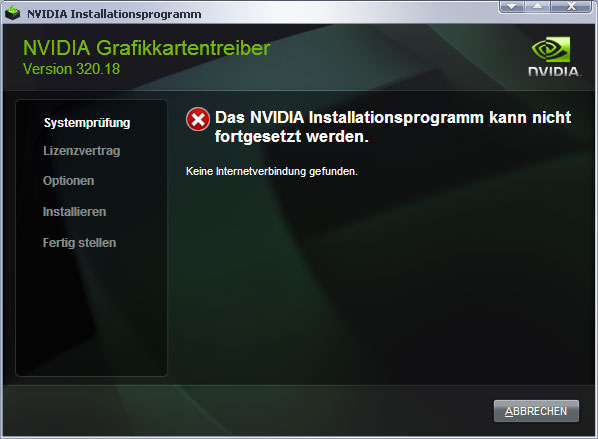
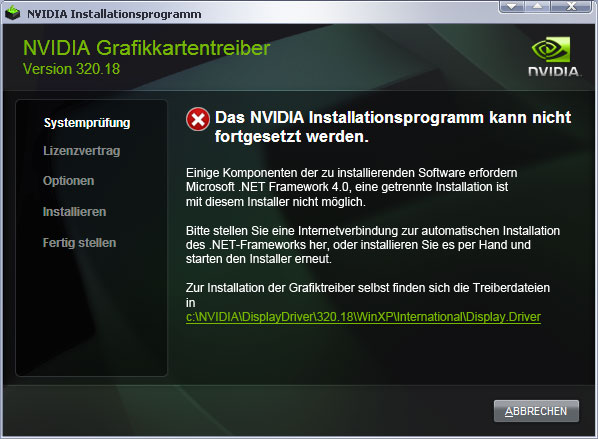
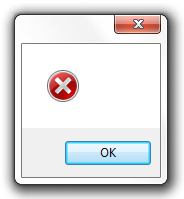 Error messages that read something like “Unexcepted Error”, “Unknown Error” or even nothing at all, like the specimen here, are useless. Normally programmers have to deliberately write atleast one line of code to display such a message, so there’s no “Unexpected Error” at all. There might be an unknown error – but this is not interesting for the user. So, please, spend some thime in designing meaninfull errormessages, messages that tell me something about the module, what was supposed to be done and give suggestions. This might be a task to perform for operation system manufaturers, too: create an API to show errormessages with a “tell me more”-button attached to it, leeding to whatever information there might exist on the error.